 CHASE
CHASETRACK TRAINER / IN ACTION
See it live.
Learn on track.
Your inputs beside a reference lap. Your last attempt ready to review. Stay in the car and put what you learn into the next corner.
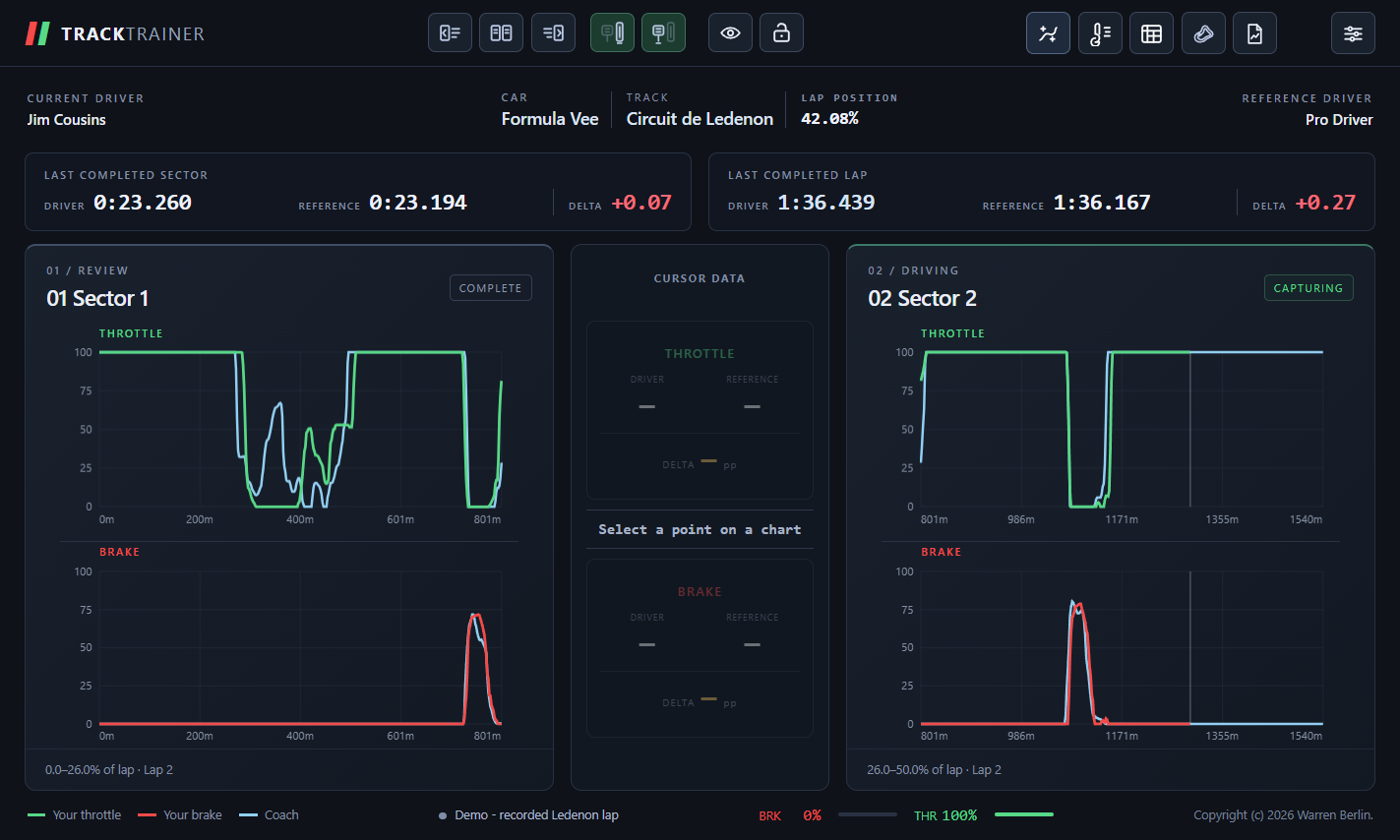
Actual Track Trainer interface replaying recorded Ledenon Formula Vee BLAPs: 438236 as the reference and 1044153 as the driver.
01 / COMPARE AS YOU DRIVE
See where your inputs differ.
Follow your throttle and brake traces alongside the reference at the same point on track. The current chart follows the segment you are driving; the previous chart keeps your completed attempt in view.
02 / KEEP THE REFERENCE IN VIEW
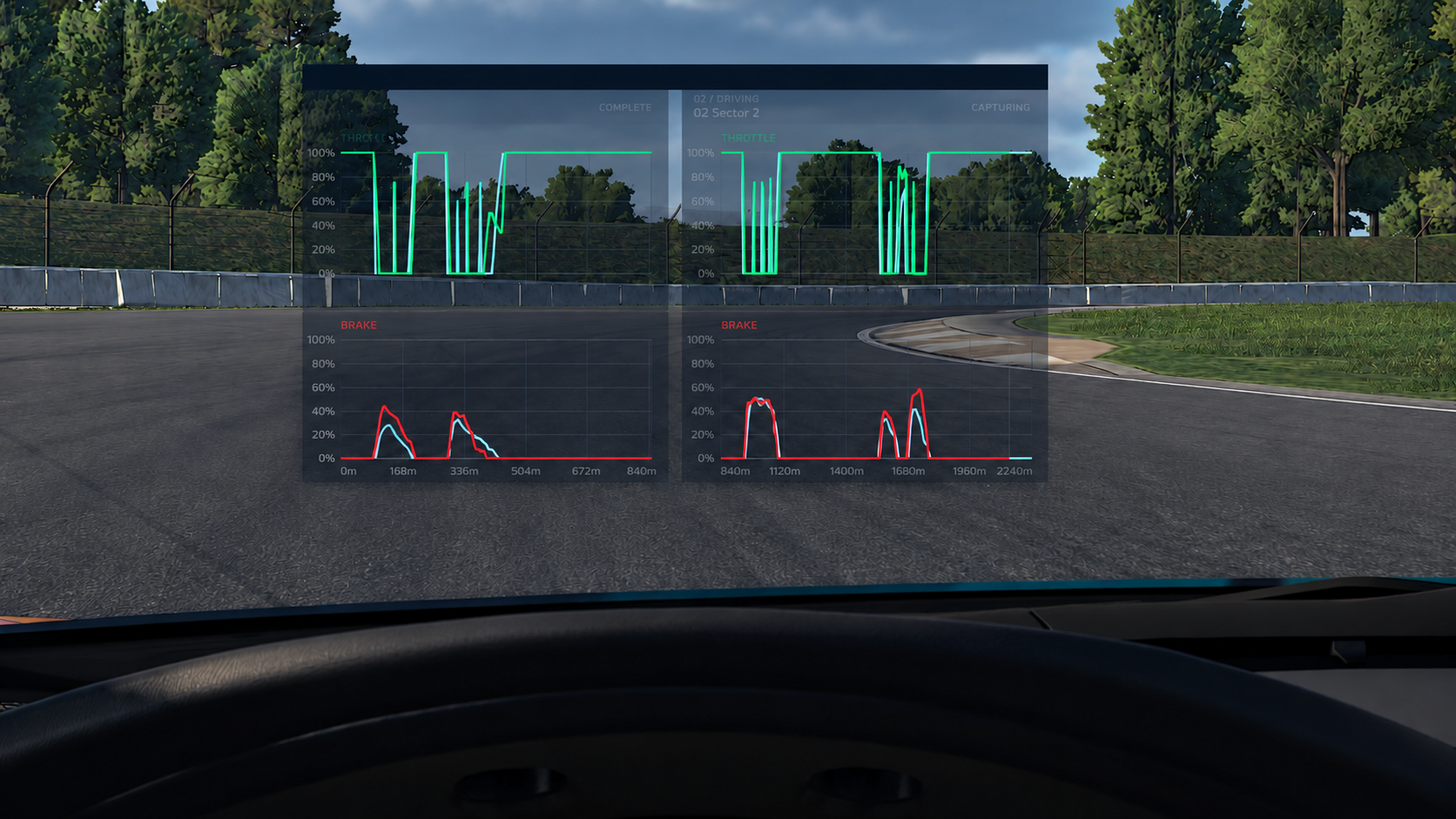
This corner. The last corner.
Keep the current overlay where you can see it as you drive, and the previous overlay beside it for immediate review. Position and resize each window to suit your rig, adjust transparency, and show throttle or brake independently.
03 / REVIEW YOUR PROGRESS
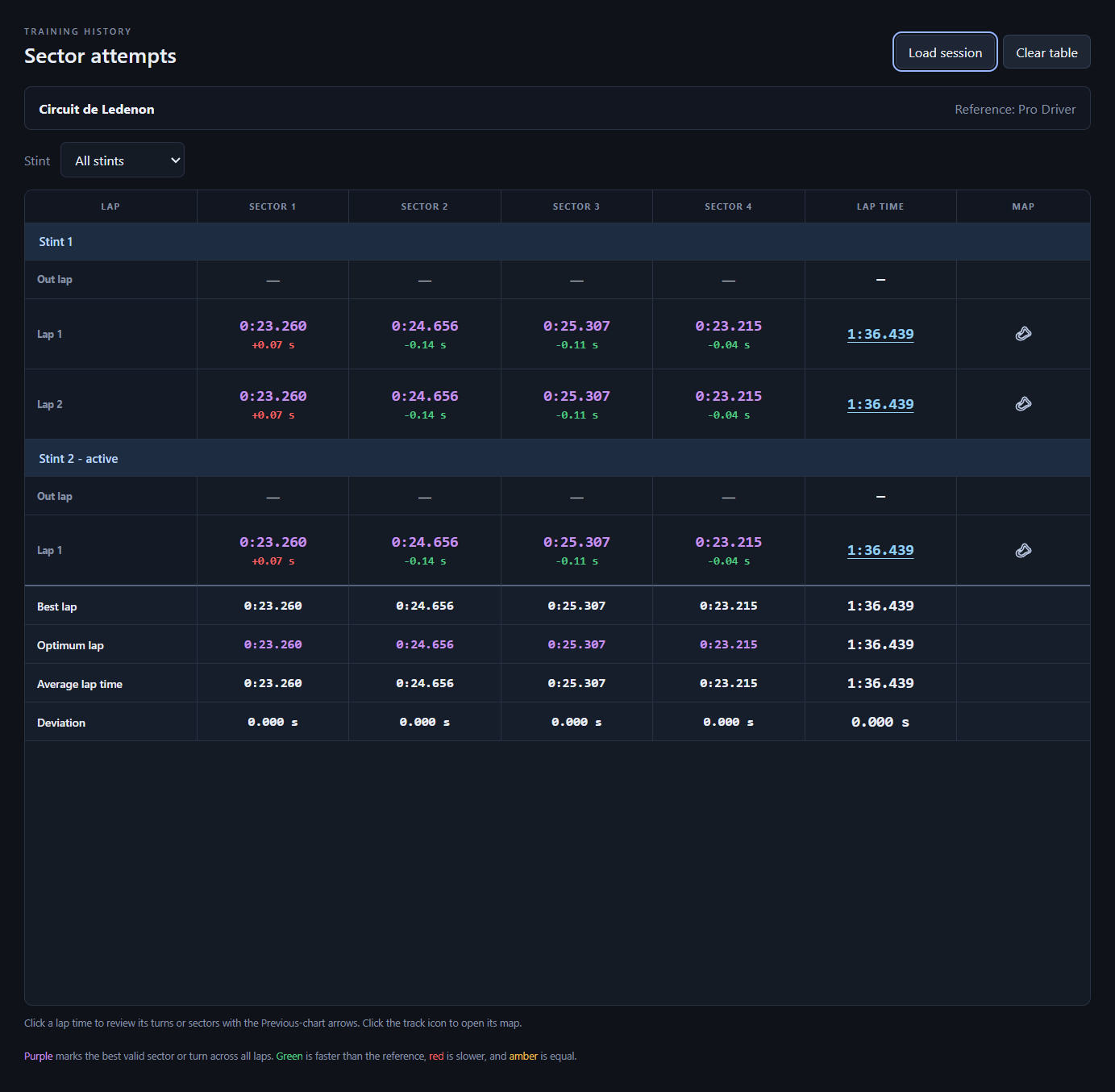
Every stint. Every attempt.
Laps sit under their stint headers, with an out lap for each pit exit. Compare sector or turn times against the reference and find your best segments in purple. Click a lap time to review its recorded segments with the chart arrows, or the track icon to open its map.
04 / CHOOSE WHO TO LEARN FROM
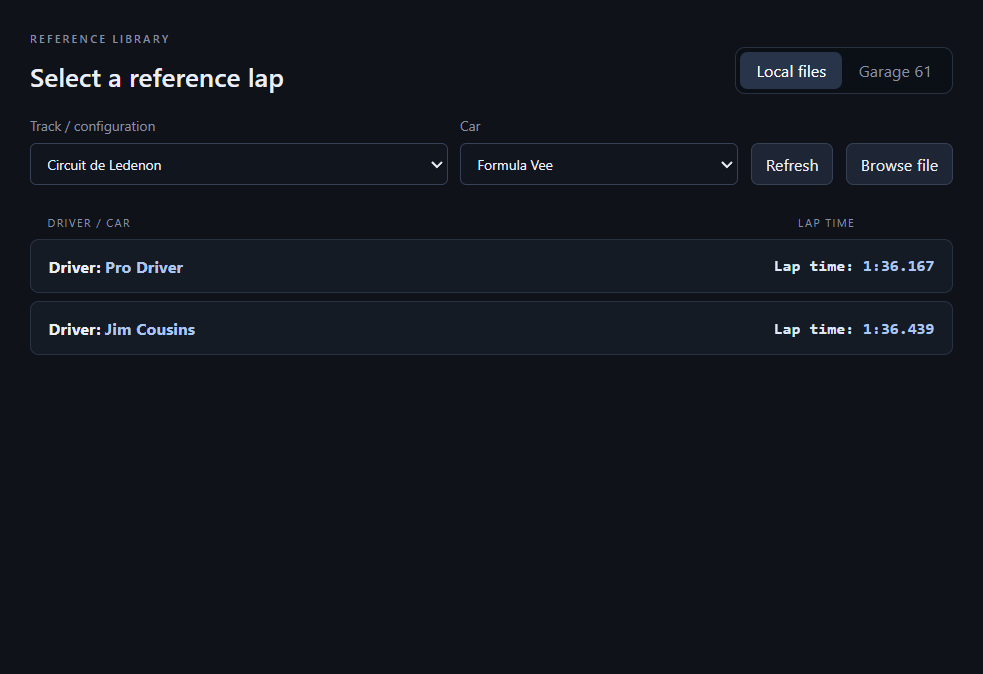
Start with a reference lap.
Connect Garage 61 and select a clean lap you have permission to access for your track and car. Load a pro lap when available, or use a local IBT, BLAP, OLAP, or TCLAP file. The reference gives you a comparison for every turn or sector.
Learn from the pros.
As you drive.
Load a reference, position your overlays, and start your next practice session.